When your design team is overflowing with ideas—new onboarding flows, micro-interactions, an ambitious visual refresh, plus a wishlist of integrations—deciding what to build next can feel paralyzing. I’ve been there: meetings where every suggestion sounds exciting, stakeholders push different priorities, and the backlog becomes a shrine to well-intentioned but never-shipped features.
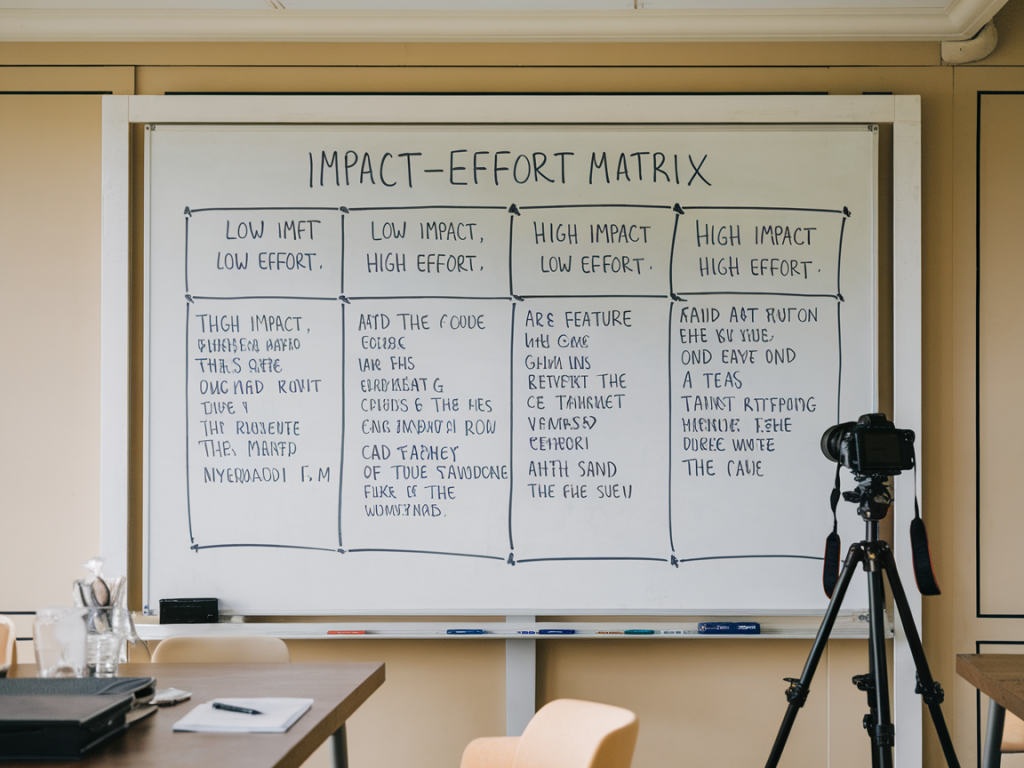
One simple tool that’s helped me cut through the noise is the impact‑effort matrix. It’s not flashy, but it’s pragmatic: map ideas by the potential impact they’ll have and the effort required to implement them. The result is a clear visual that helps align teams, defend decisions to stakeholders, and surface quick wins that actually move the needle.
Why the impact‑effort matrix works for creative teams
Creative teams often juggle subjective value (beauty, delight) with measurable outcomes (engagement, conversion). The impact‑effort matrix forces us to translate intuition into two simple axes:
- Impact: How much value will this idea deliver? Think user engagement, retention, revenue, or strategic positioning.
- Effort: How much time, development, and coordination will it take? Include research, design, QA, and potential maintenance.
Because creative work has qualitative elements, the matrix provides a common language. I’ve used it to defend a subtle microcopy change that raised conversions, and to deprioritize a beautiful but resource-intensive animation that would have delivered negligible business value.
How I run a quick prioritization session
Here’s a straightforward process I use with teams—suitable for a 30–60 minute workshop. You don’t need special software; a whiteboard, Miro board, or a simple Notion page will do.
- Gather ideas: Collect feature requests from product, support, design, and marketing. Keep each idea to a single sentence.
- Define impact criteria: Agree on what "impact" means for your project—more signups, lower churn, faster task completion, or brand perception. Pick one primary metric and a couple of secondary ones.
- Estimate effort: Use rough categories like Low, Medium, High, or a T-shirt scale (S/M/L). This is about relative effort, not precise hours.
- Place ideas on the matrix: Draw four quadrants—Quick Wins (High Impact / Low Effort), Major Projects (High Impact / High Effort), Fill‑Ins (Low Impact / Low Effort), and Time‑Sinks (Low Impact / High Effort).
- Discuss and adjust: Each placement should spark a short conversation. If someone argues an idea’s impact, ask for evidence or a hypothesis to validate later.
- Decide next steps: Pick items from Quick Wins first, allocate one or two Major Projects to roadmap planning, and table or archive Time‑Sinks unless new data appears.
Sample matrix to use in your documentation
Below is a simple table I include in project docs so anyone can see why a feature was prioritized or dropped.
| Feature | Impact | Effort | Quadrant | Notes |
|---|---|---|---|---|
| First‑time user checklist | High | Low | Quick Wins | Expected to increase retention by 8% (backed by support feedback) |
| Animated landing hero | Low | High | Time‑Sink | Nice to have, little effect on signups |
| Advanced filter system | High | High | Major Projects | Strategic for power users; needs design spec & tech spike |
| Empty state illustrations | Low | Low | Fill‑Ins | Boosts perceived polish; do during sprint downtime |
Tips to make the matrix less subjective
Impact is where subjectivity sneaks in. Over the years I’ve collected a few habits that make the exercise more defensible:
- Attach a hypothesis: For each feature, write a one-line hypothesis—e.g., "Adding a checklist will increase week‑1 retention by 5%." Hypotheses clarify what success looks like.
- Use evidence: Pull in support tickets, interview quotes, analytics, or competitor examples. If you can’t find evidence, mark the idea as hypothesis‑driven and plan a quick test.
- Estimate collaboratively: Get a designer, engineer, and product person in the room. Cross-functional estimates reduce blind spots.
- Revisit regularly: Ideas move quadrants as you learn. Treat the matrix as a living artifact—update it after experiments or research.
How to combine the matrix with other prioritization frameworks
The impact‑effort matrix is lightweight, but it plays well with other methods:
- RICE (Reach, Impact, Confidence, Effort): Use RICE when you need a more quantitative rank. I’ll run RICE on the top items from the matrix to decide sequencing.
- Opportunity Solution Tree: Use the matrix at the "solution" level—once you know the opportunity space, map possible solutions by impact and effort.
- Cost of Delay: For time-sensitive features, add a Cost of Delay lens. A High Impact/High Effort item might still be urgent if delaying it loses signups.
Common pitfalls and how I avoid them
My team learned these the hard way:
- Overprioritizing novelty: New and shiny ideas can distract. I ask, "What problem does this solve?" If the answer is vague, we deprioritize.
- Letting loud voices dominate: Give everyone an equal say. We sometimes use dot-voting to reveal hidden consensus after discussion.
- Ignoring maintenance: Tech debt and polish improvements often show up in Fill‑Ins or Time‑Sinks, but they matter. We reserve 10–20% of each sprint for upkeep.
- Confusing effort with cost: Effort includes coordination and long-term maintenance—not just initial build time. I push teams to think lifecycle.
Tools that make implementation easier
I use a few lightweight tools depending on the context:
- Miro for asynchronous team workshops and sticky-note voting.
- Notion to keep the matrix embedded in product docs so context stays with ideas.
- Jira or Linear to translate the prioritized list into tracked work, with links back to the matrix entry.
- Amplitude or Google Analytics to measure the impact after shipping and close the loop on hypotheses.
Prioritization isn’t a magic wand—but when you make impact and effort explicit, decision-making becomes less political and more evidence-driven. The matrix encourages a bias toward learning: prioritize items that are quick to validate, and use what you learn to take on bigger projects with more confidence.