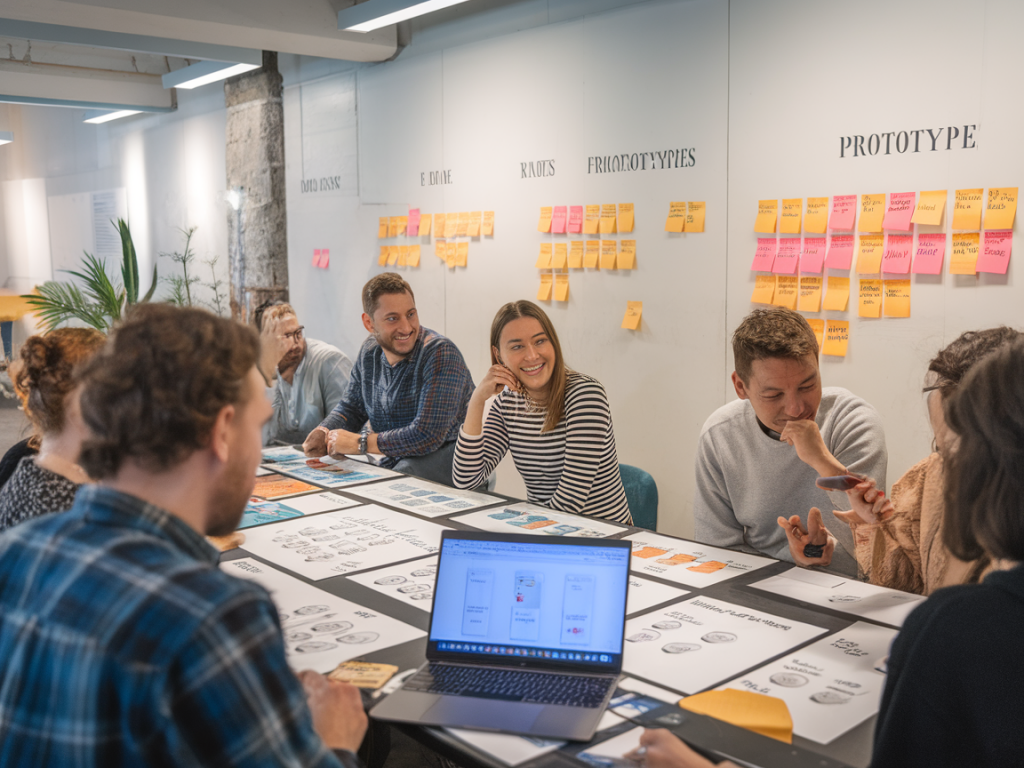
When I need to break a deadlock with stakeholders or quickly test a handful of ideas, I run a one-hour creative sprint that ends with a mid-fidelity prototype ready for feedback. It’s fast, focused, and — when done well — remarkably persuasive. Over the years I’ve iterated on this format with clients and product teams, and it consistently helps turn vague opinions into concrete decisions.
Why a one-hour sprint works
There are a few reasons this format is effective. First, it forces clarity: one hour means you can't over-iterate or over-justify. Second, the mid-fidelity prototype is tactile enough for stakeholders to understand interaction and layout, but not so polished that people get stuck on visuals. And third, the sprint creates a shared experience — everyone sees the same thing and can react to it, which short-circuits endless debate.
What you need
Before you start, gather a few things. I keep this minimal because setup time is the enemy.
- Figma (or similar) — my go-to for quick mid-fi screens and simple interactions. You can also use Adobe XD, Sketch + InVision, or Framer for slightly more interactive prototypes.
- Whiteboard or Miro/FigJam — for a 5–10 minute alignment and rapid sketching.
- Stakeholders ready — invite the decision-makers for the final review or at least someone who can commit to next steps.
- Data and constraints — bring the key metrics, user needs, technical limits, and any brand rules you must respect.
Core agenda — the 60-minute breakdown
I like to split the hour into short, outcome-focused blocks. Below is the structure I use. I also include a simple table you can copy into a calendar invite so everyone knows the rhythm.
| Time | Activity | Goal |
|---|---|---|
| 00:00–00:10 | Align | Clear objective and constraints |
| 00:10–00:25 | Sketch & decide | Choose the best concept |
| 00:25–00:50 | Prototype | Build mid-fidelity screens & flows |
| 00:50–01:00 | Review & next steps | Get buy-in and assign actions |
Step-by-step walkthrough
Here’s how I run each block in practice.
Align (10 minutes)
Start with a crisp problem statement. I frame it like: “We need to improve onboarding activation rate by X% for new signups coming from channel Y. We suspect friction in step Z.” Read out the key constraint — maybe engineering bandwidth or accessibility standards — and state the sprint’s success metric. Then do a lightning round for context: a quick piece of customer insight, a metric, and any design guardrails.
Keep this tight. If you spend more than 10 minutes here, you’ve probably broadened the scope too much.
Sketch & decide (15 minutes)
For the next 15 minutes I sketch 3 parallel concepts. I usually use a template in Figma or FigJam with three frames labeled Concept A/B/C. The point is to produce distinct options: one conservative (safe), one radical (new interaction), and one hybrid. I sketch at mid-fidelity — blocks for content, annotations for behavior. If I’m with a team, each person can sketch, then we cluster ideas, pick the strongest elements, and decide which concept to prototype.
A quick decision rubric helps: which option best meets the metric, is technically feasible within constraints, and preserves brand/UX principles? Vote and commit.
Prototype (25 minutes)
This is the bulk of the sprint. I build a mid-fidelity prototype that demonstrates the key flow and the critical interactions that will influence stakeholder opinion. Here’s my stack and approach:
- Figma components: I use a small system of reusable components — header, primary card, input fields, and CTA — to speed up layout. Keep styling neutral but intentional: spacing, hierarchy, and readable typography matter.
- Focus on the happy path: Prototype the main flow end-to-end (e.g., registration → activation → first success). Stakeholders need to see the value quickly.
- Add micro-interactions with prototypes: Use simple overlays, transitions, and clickable hotspots. You don’t need full animations; subtle movement sells interaction.
- Annotate key decisions: Place tiny notes for accessibility considerations, tracking events, or performance trade-offs. This shows you thought beyond visuals.
For tighter dev handoff, I drop a developer note panel linking to the most important constraints: API calls, data needed, and error states. If time allows, I create a second path that shows an edge case or progressive enhancement (e.g., accessible keyboard flow).
Review & get buy-in (10 minutes)
Invite stakeholders into the prototype, walk them through the flow, and narrate the rationale concisely. I always start with the problem statement, recap the chosen concept, then demo the prototype by performing the main task. After the demo, I solicit structured feedback:
- What surprised you?
- What do you think users would notice first?
- What concerns you about implementation or outcomes?
At this stage I’m not looking for polish feedback. If someone focuses on color or imagery, I redirect: “Great idea — we can explore visuals later. Right now, does the flow solve the activation problem?”
If stakeholders need data or validation, offer a clear next experiment: a hallway usability test, an A/B prototype on a small cohort, or an analytics baseline to measure improvement. Propose owners and timelines — e.g., “I'll run five moderated tests this week, and we’ll reconvene on Friday.”
Tips for persuading stakeholders
- Use constraints to your advantage. Framing choices as responses to constraints reduces personal taste arguments.
- Make trade-offs explicit. Say "we traded visual polish for faster testing" so stakeholders understand the intent.
- Show, don’t tell. A clickable mid-fi prototype is more convincing than a spec doc or design debate.
- Focus on outcomes. Tie the prototype to a measurable metric and a clear next step.
- Keep the prototype editable. Invite stakeholders to comment in Figma or FigJam — this converts passive approval into actionable feedback.
Common pitfalls and how I avoid them
I've learned a few things the hard way. Here are the traps I watch for:
- Over-polishing: If it looks finished, people will critique aesthetics. I purposely keep visuals neutral to keep the conversation on flow and value.
- Scope creep: One hour is finite. I lock the objective and decline restaurant-menu-style feature additions until after the sprint.
- No next steps: A prototype without an experiment plan dies. I always end with a concrete follow-up (usability tests, dev spike, analytics setup).
When the sprint goes well, stakeholders leave with clarity and momentum. The mid-fidelity prototype serves as both a shared artifact and a launchpad for iterative testing — and that’s how you move from debate to decisions without spending days in meetings.