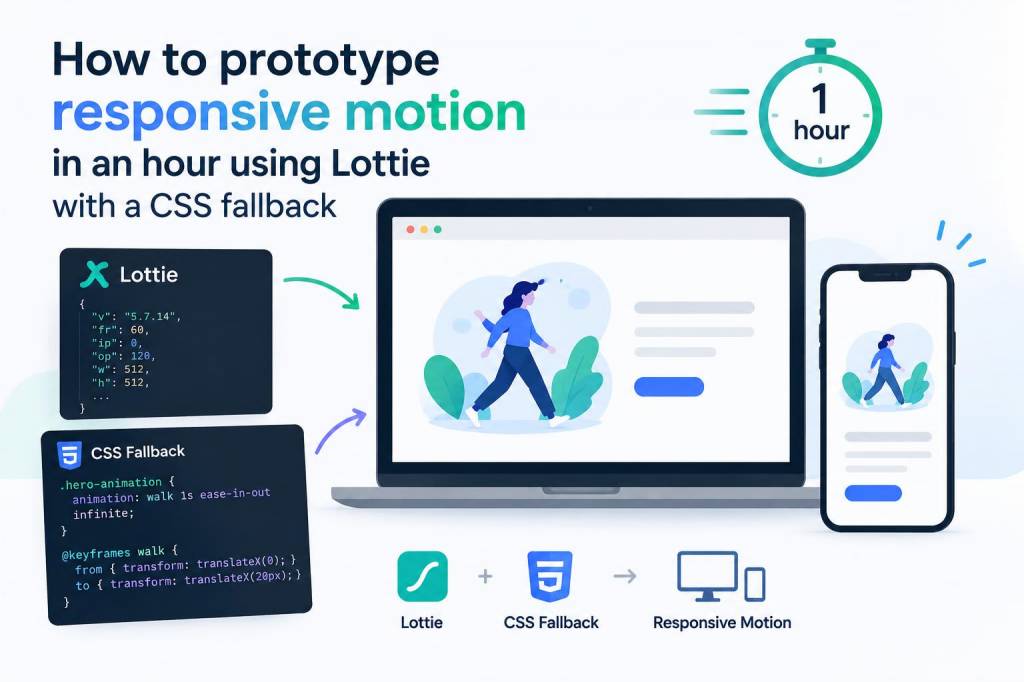
I often need to prototype motion that feels alive on any screen without getting bogged down in long build cycles. Lottie is my go-to for shipping vector animations quickly, but real-world projects need two things: responsive behavior and a solid fallback for environments where Lottie isn’t available. In this walkthrough I’ll show how I prototype responsive motion in around an hour using Lottie (via lottie-web or the lottie-player web component) and a lightweight CSS fallback for browsers or email clients that can’t render the animation. No fluff—just the steps I use when I want something that scales gracefully and degrades cleanly.
Why Lottie + a CSS fallback?
Lottie gives you crisp, small, vector animations exported from After Effects (via Bodymovin) or created in other tools like Haiku or LottieFiles’ creator. It’s perfect for prototyping because it’s fast to iterate and integrates with the DOM. But not every environment can run JavaScript or render the animation reliably—think old browsers, strict CSP setups, or certain email clients. Having a CSS-only fallback (a simple transform/opacity animation) means the motion still communicates the interaction, even if it’s less detailed.
What you’ll need
- After Effects (or an alternative) + Bodymovin export plugin, or an animation JSON from LottieFiles.
- A dev environment (any static site, CodePen, or local server).
- The lottie-web library (or lottie-player for a web component) and some CSS.
- Optional: an SVG or PNG version exported as a fallback visual.
Step 1 — Design the animation with responsiveness in mind
I start simple. Keep the scene vector-based and avoid effects that don’t translate to Lottie (3D layers, some blends). Design with scale in mind: place your key elements inside a centered artboard, and animate using transforms (position, scale, rotation, opacity). That makes it much easier to map to responsive containers later.
If you want an extra shortcut, download an existing Lottie JSON from LottieFiles—many assets are already optimized for web.
Step 2 — Export and optimize the JSON
Export with Bodymovin and make sure “glyphs” and unsupported effects are handled. Then run a quick optimization pass:
- Remove unnecessary hidden layers.
- Simplify keyframes where possible.
- Use lottie-web’s renderer options (svg) for crisp scaling.
Smaller JSON means faster load and less CPU on low-end devices.
Step 3 — Basic HTML structure
Here’s the minimal DOM structure I use. Put the animated container and a fallback element side-by-side in the markup so CSS can swap them based on capability.
<div class="hero-anim"> <div id="lottie" aria-hidden="true"></div> <img src="hero-fallback.svg" alt="Decorative animation fallback" class="fallback"></div>
I keep the fallback as an SVG so it scales crisply, and the aria-hidden attribute on the Lottie container avoids duplicate accessibility announcements.
Step 4 — Load Lottie responsively
I use lottie-web for programmatic control. The key is to make the animation scale to its container. Load with this pattern:
lottie.loadAnimation({ container: document.getElementById('lottie'), renderer: 'svg', loop: true, autoplay: true, path: 'animation.json' // your Lottie JSON});
The SVG renderer preserves vector quality and respects the container's dimensions. Make the container responsive with CSS:
.hero-anim { width: 100%; max-width: 900px; margin: 0 auto; }.hero-anim #lottie { width: 100%; height: auto; }
By keeping width at 100% and height auto, the SVG will scale with the container while preserving aspect ratio.
Step 5 — Make motion adapt to viewport
Sometimes you want different animation behavior by breakpoint—longer animations on desktop, simpler on mobile. I control playback speed and segments from JS based on media queries:
const anim = lottie.loadAnimation(...);if (window.matchMedia('(max-width: 600px)').matches) { anim.setSpeed(0.75); // or play a shorter segment: anim.playSegments([0, 60], true);} else { anim.setSpeed(1);}
This approach lets you keep the same JSON but shift emphasis by changing speed or segments for different sizes.
Step 6 — Add a graceful CSS fallback
For environments where Lottie isn’t available, I hide the JS-driven container and show a CSS animation applied to the fallback SVG. Use feature detection or a simple CSS-only swap via the html.no-js / html.js pattern, or detect support in JS and toggle a class.
Example CSS fallback animation:
.fallback { display: block; width: 100%; height: auto; }.no-lottie .fallback { animation: float 3s ease-in-out infinite; }@keyframes float { 0% { transform: translateY(0); opacity: 1; } 50% { transform: translateY(-8px); opacity: 0.95;} 100% { transform: translateY(0); opacity: 1; }}
Then in JS, if lottie fails to initialize or the user agent blocks it, add document.documentElement.classList.add('no-lottie'). I prefer explicit detection over relying solely on noscript, since JS may be present but the Lottie JSON blocked by CSP.
Step 7 — Performance considerations
- Lazy-load the animation JSON: only fetch when the element is in the viewport. I use IntersectionObserver to initialize Lottie when the container is visible.
- Limit loop complexity and drop unnecessary masks or gradients that add CPU overhead.
- For mobile, prefer short loops and lower frame count—users notice battery and CPU spikes.
Step 8 — Accessibility and semantics
Animations can distract or trigger motion sensitivity. I respect user preferences for reduced motion by reading the media query and switching to a static fallback or simplified animation:
if (window.matchMedia('(prefers-reduced-motion: reduce)').matches) { anim.stop(); document.documentElement.classList.add('reduced-motion');}
Also ensure fallbacks have an appropriate alt attribute or are marked decorative if they convey no critical information.
Quick troubleshooting cheatsheet
| Problem | Fix |
| Animation not loading | Check path, console errors, CORS/CSP blocking JSON; verify container exists before loading |
| Animation looks cropped | Ensure container has responsive width and SVG scales (width:100%; height:auto). Check viewBox in exported SVG |
| High CPU on mobile | Reduce loops, simplify layers, or play a lighter segment for mobile |
| Fallback visible alongside Lottie | Use JS to hide fallback when Lottie successfully initializes, or toggle a class like has-lottie |
In practice I can wire up a simple prototype in under an hour: export or grab a JSON, scaffold the container and fallback SVG, wire lottie-web with lazy loading, add a reduced-motion check, and create a small CSS fallback animation. The result is a responsive motion prototype that looks great across sizes and degrades without breaking the experience—exactly what I want when I’m testing interaction ideas or presenting options to a product team.